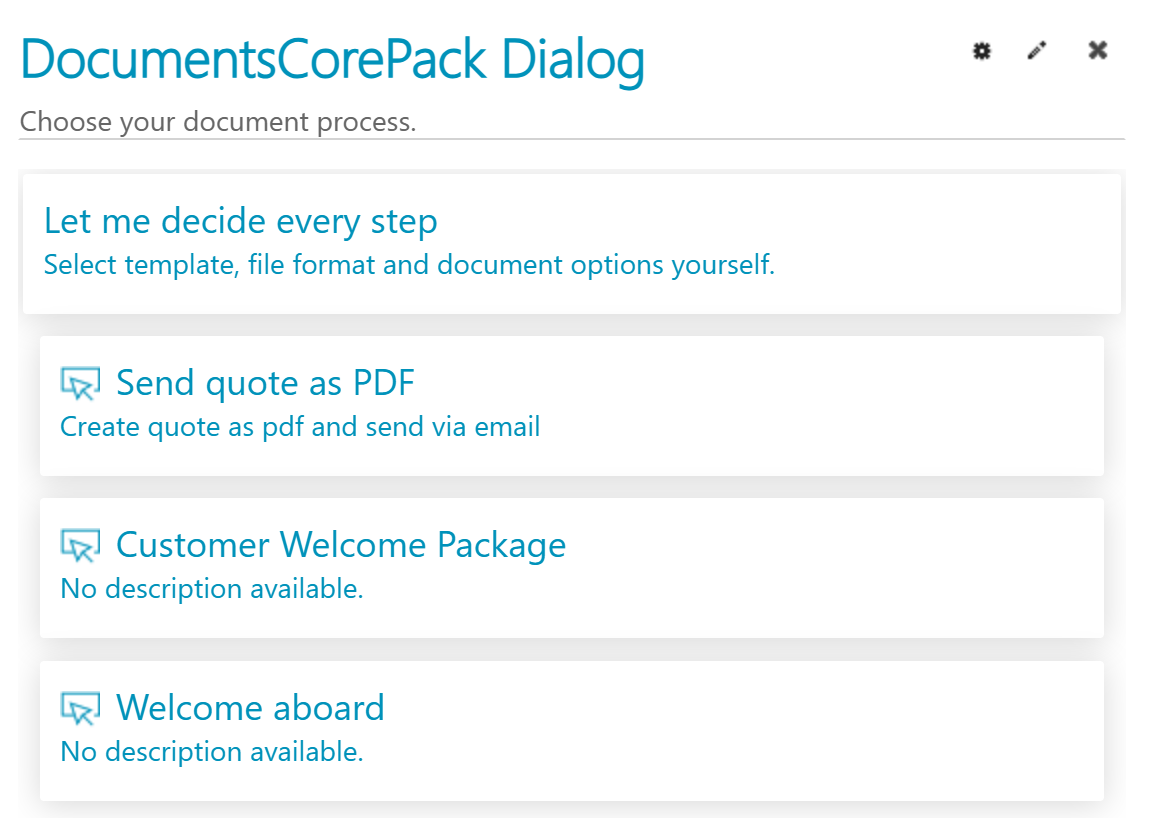
One-Click-Actions (OCAs) are predefined configurations in the DocumentsCorePack (DCP) Dialog that enable users to generate and process documents with a single click. Designed to streamline and standardize document-related tasks in Dynamics 365 and Power Apps, OCAs help reduce manual steps, minimize errors, and accelerate business processes. Whether it’s sending a document by email, initiating an e-signature workflow, or printing, OCAs make it easy to execute complex actions quickly and consistently.
Use Cases & Benefits of One-Click-Actions
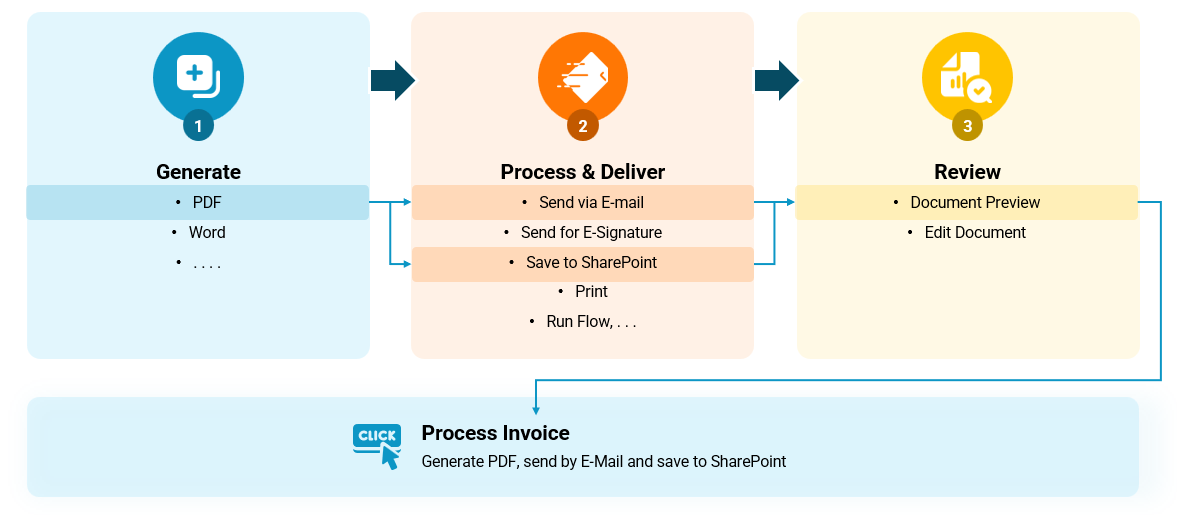
Example: The accounting department needs to generate PDF invoices, email them to customers, store a copy in SharePoint, and print a hard copy. By defining a One-Click-Action (OCA), this entire workflow can be executed with just a single click—saving time and ensuring consistency.
Key benefits of using OCAs include:
- Standardized document workflows – Ensure consistency in how documents are generated and delivered.
- Simplified and automated processes – Reduce manual steps and streamline routine tasks.
- Fewer user errors – Minimize the risk of mistakes by guiding users through predefined actions.
- Time savings – Speed up operations by reducing the number of clicks and decisions required.
- Flexible configuration options – Configure OCAs to process either a single record or a batch of multiple records, allowing for scalable and efficient data handling.
- Customizable display rules – Make OCAs available based on their Dynamics 365 roles (e.g., only Accounting sees a specific OCA) and entity attribute values (e.g., different OCAs appear depending on customer location), ensuring relevant and context-specific user experiences.