The DocumentsCorePack Web Config provides a centralized interface for managing and monitoring DocumentsCorePack services. One helpful area within the Web Configuration is the Entities tab, which gives direct access to all custom DocumentsCorePack entities and their records.
This feature is particularly useful when you need to locate a specific record for troubleshooting or debugging purposes.
Locating the Entities tab
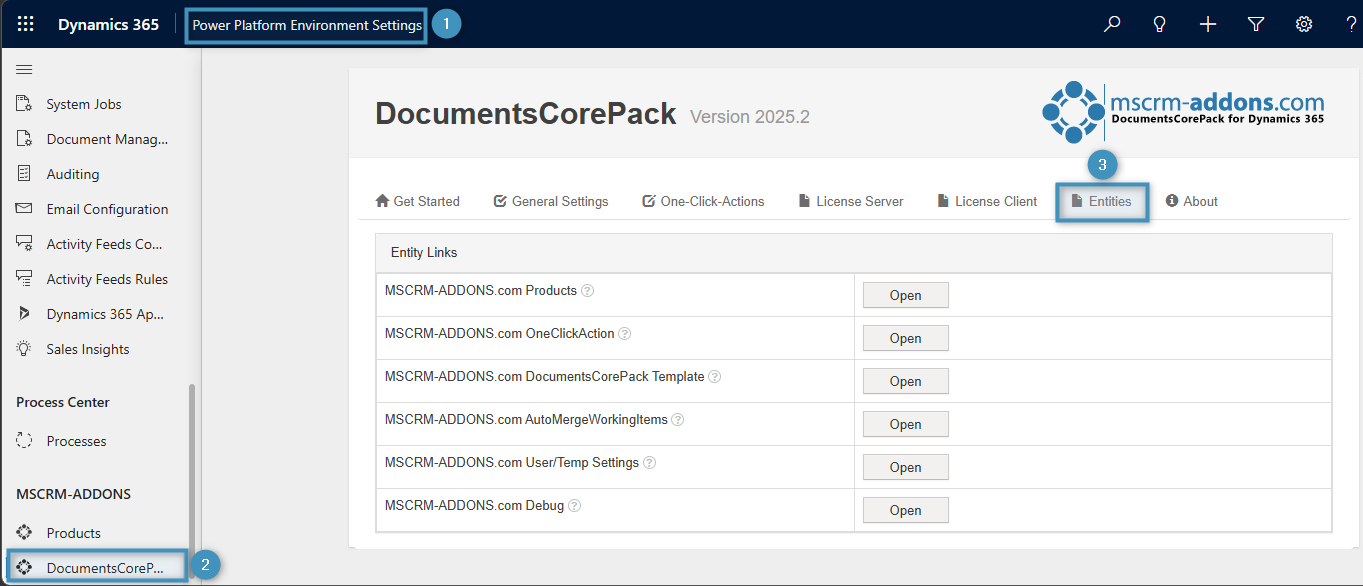
To begin, open your ❶ Power Platform Environment Settings. Under MSCRM-ADDONS select ❷ DocumentsCorePack and then the ❸ Entities tab.
Opening an Entity and viewing its records
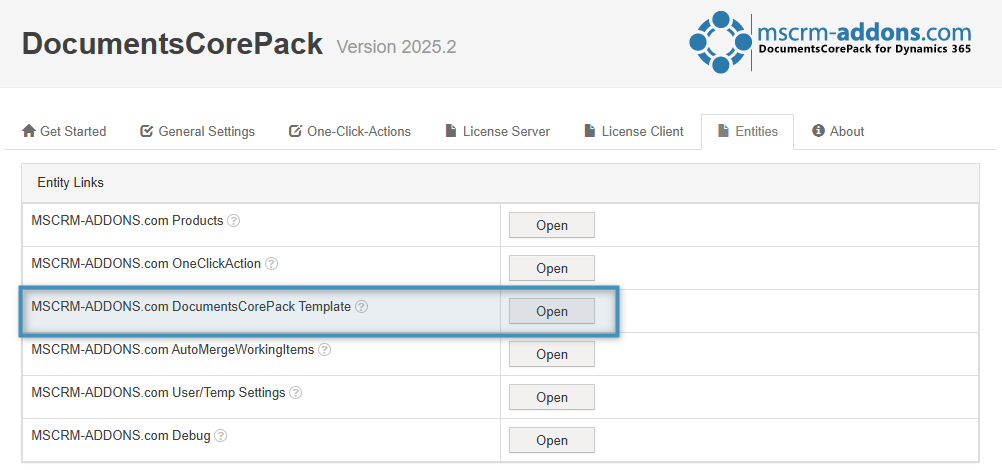
The Entities tab displays a list of links, each representing a custom entity used internally by DocumentsCorePack. These entities store configuration data, processing information, and runtime records created by DocumentsCorePack features.
Click on the entity link that you want to open. In our example, we will be using the DocumentsCorePack Template entity.
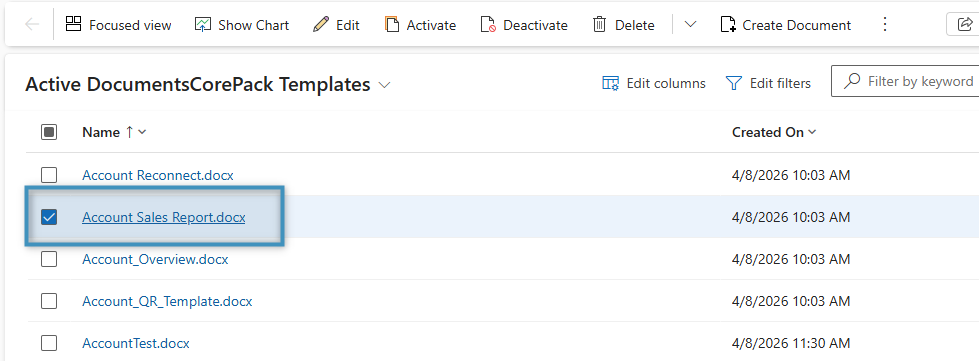
A new page opens automatically. This page lists all records belonging to the selected entity type. From there you can search through and/or filter records or open individual records for inspection.
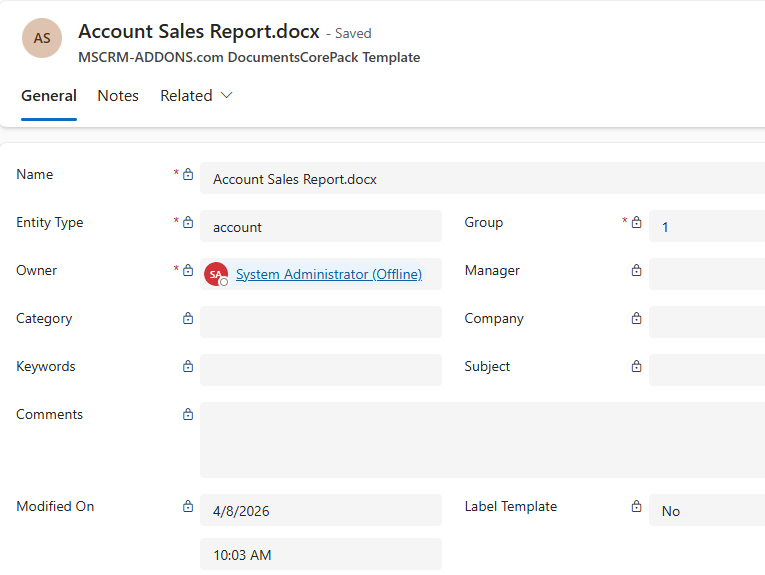
Once you have selected a record, you can view the record’s information in detail.