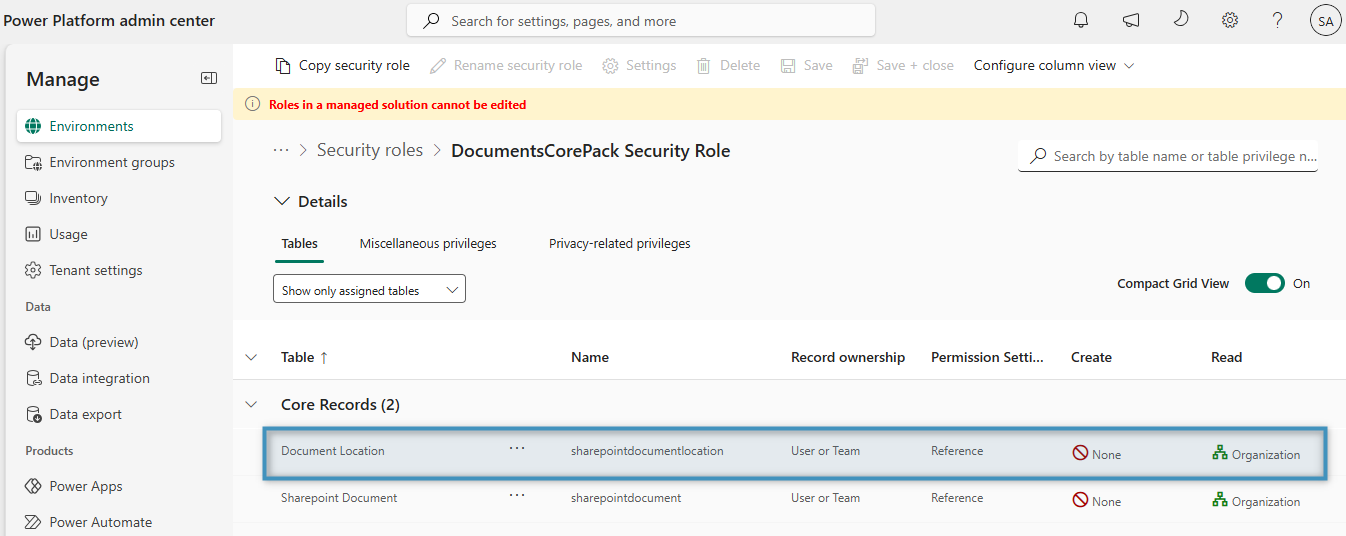
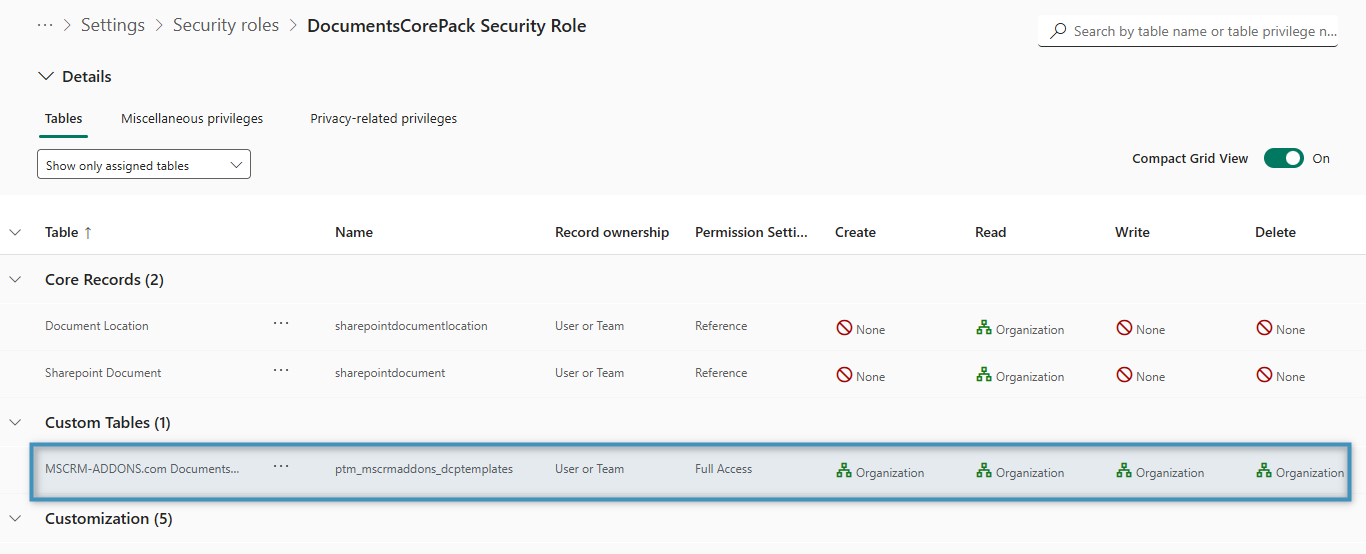
In Dynamics 365, all DocumentsCorePack templates are stored as an attachment to a custom table named DocumentsCorePack Template. Every record (row) of this table has the template attached. Upon installation, a custom security role is assigned to every user in Dynamics 365: the DocumentsCorePack Security Role. Among other privileges, this role provides access to DocumentsCorePack templates for every user.
Accessing the DCP Security Role
To access the DocumentsCorePack Security Role:
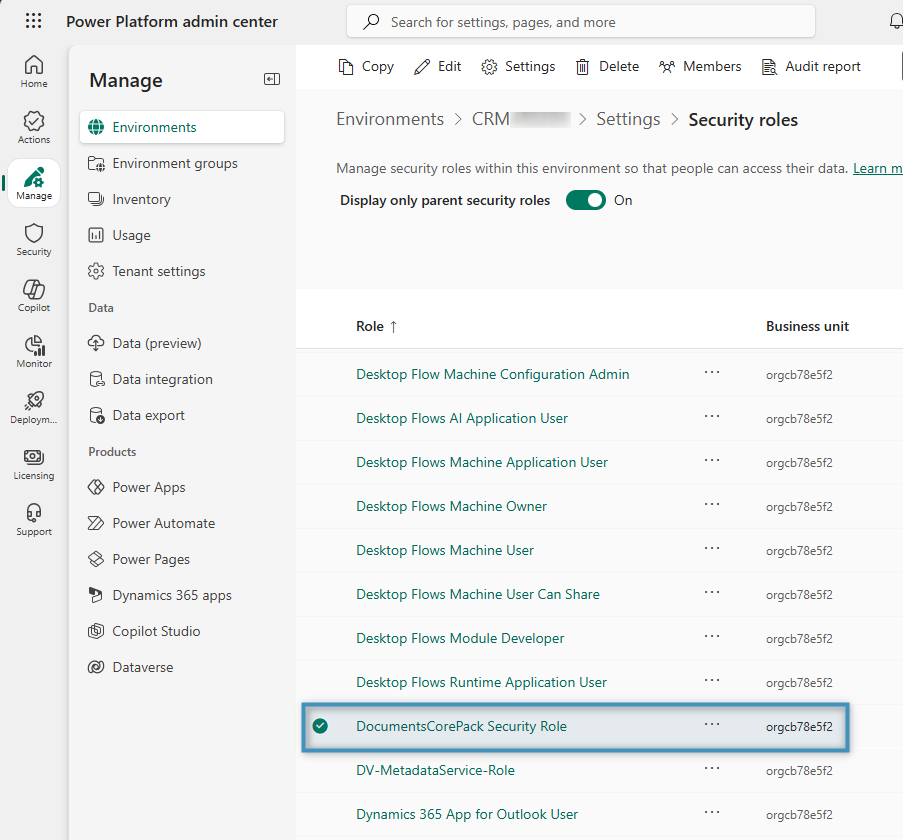
- Go to the Power Platform admin center and navigate to Manage -> Environments
- Open the environment where DCP is installed and go to select Settings
- Click the Users + permissions dropdown and then select Security roles. The DocumentsCorePack Security Role can be found in the Security roles list
Using your own security to control access to templates
To control access to templates via your own security role, you would have to unassign the DocumentsCorePack security role and provide access to the DocumentsCorePack Templates table as needed by modifying one of your existing roles or by creating a new role.
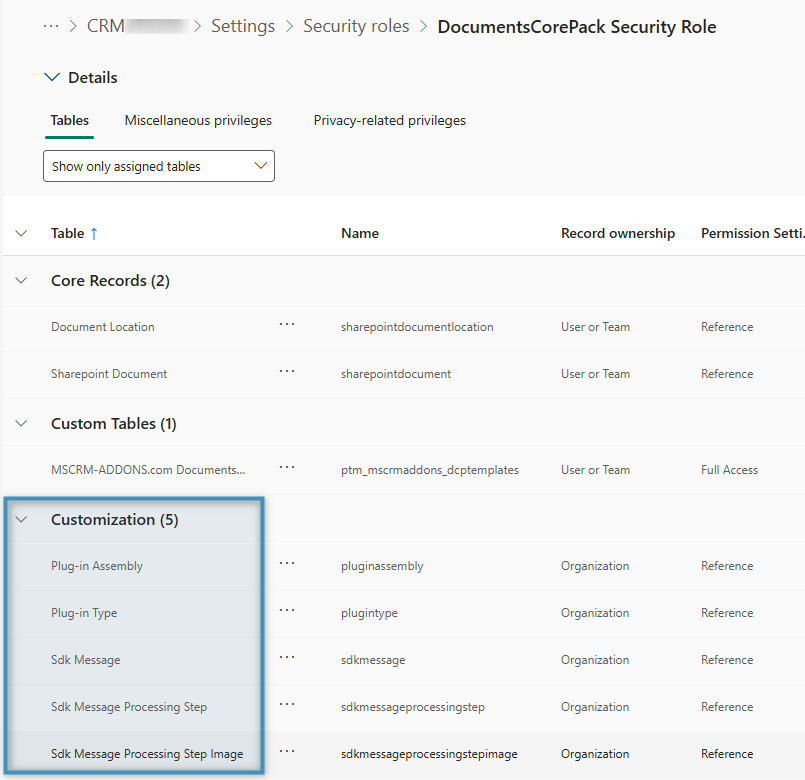
When doing so, you must ensure that the following permissions are granted to all users:
- Plug-in Assembly: Read
- Plug-in Type: Read
- Sdk Message: Read
- Sdk Message Processing Step: Read
- Sdk Message Processing Step Image: Read
The following permission is necessary if you use DocumentsCorePack with the Dynamics 365 integrated SharePoint solution:
- Document Location: Read