The DocumentsCorePack (DCP) Dialog for Business Central provides a streamlined and user-friendly interface for generating, processing, and delivering documents directly within Microsoft Dynamics 365 Business Central. It serves as a central interaction point where users can review, adjust, and execute document generation processes with full control and transparency.
Whenever a document is generated, such as from a sales invoice, quote, or other record, the dialog opens as an interactive layer. This gives users visibility into the process and ensures they can control how documents are created and distributed.
Accessing the DCP Dialog
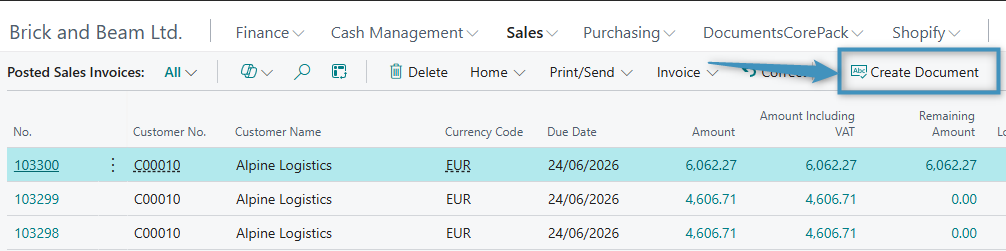
After installing DocumentsCorePack in Business Central, the Create Document button will be available on the command bar in Business Central.
The Create Document button is also available directly within a record, as shown below.
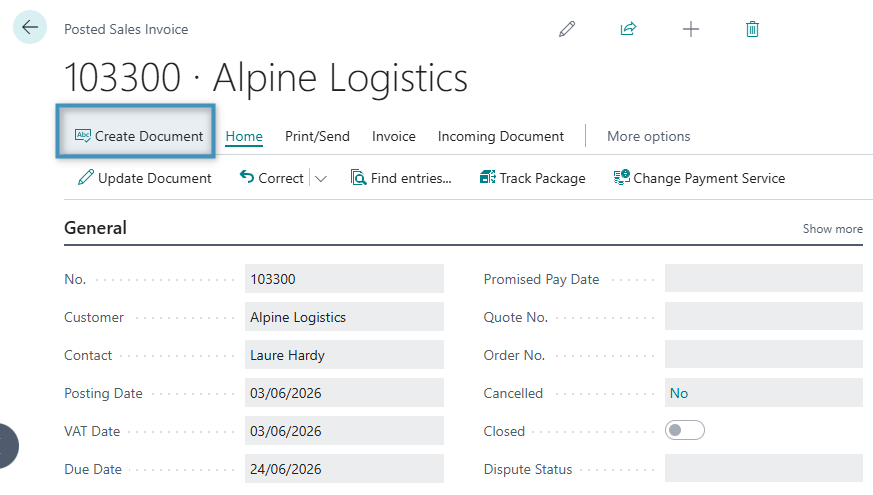
Selecting Create Document opens the DCP Dialog, where users can choose a template, define document settings, and determine how the document should be generated and delivered.
Key features of the DCP Dialog
With the DCP Dialog in Business Central, users can:
- Select and switch templates for consistent document creation
- Define output settings, including format, naming, and how documents are stored or attached
- Preview documents before generating or sending them
- Choose delivery options, including attaching the document to the record or sending it via email
- Apply predefined settings while keeping flexibility for adjustments
- Work directly within Business Central without leaving the current record
Benefits of the DCP Dialog
- Efficiency: Generate and deliver documents quickly without leaving Business Central.
- Accuracy: Reduce errors with built-in preview and validation capabilities.
- Flexibility: Adapt documents using customizable templates and output settings.
- Integration: Stay within Business Central without switching between systems.
- User-friendliness: Benefit from an intuitive interface designed for everyday use.
For a detailed walkthrough on generating and processing documents using the DCP Dialog, see here.