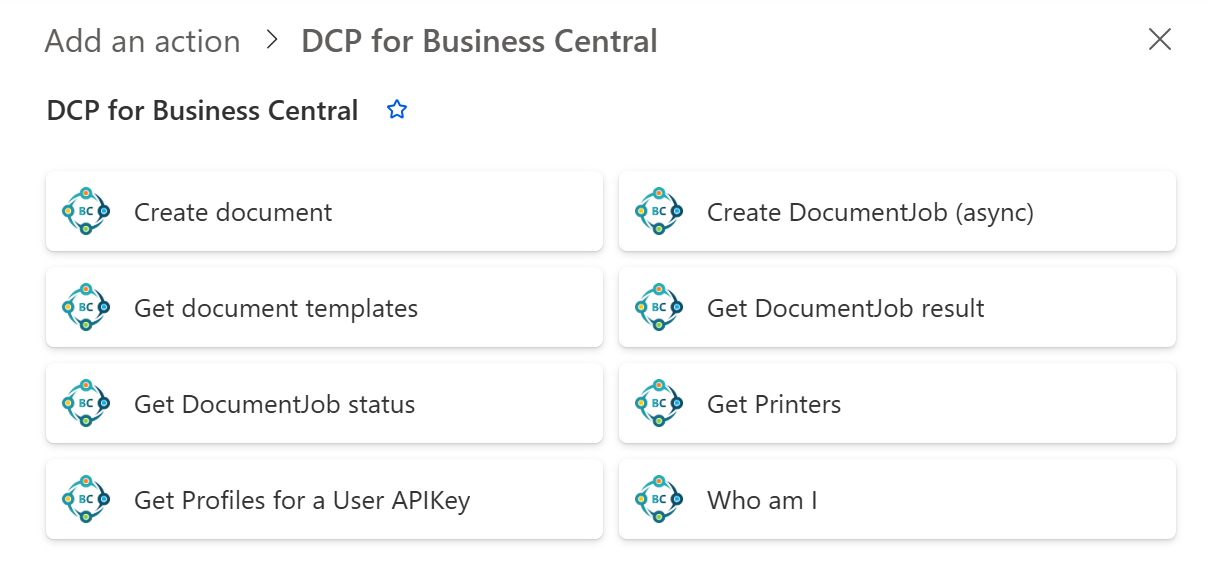
The DocumentsCorePack (DCP) Connector for Business Central integrates DocumentsCorePack’s document generation, processing, and automation capabilities directly into Business Central. This article provides an overview and explanation of all actions available in the DocumentsCorePack Connector for Business Central.
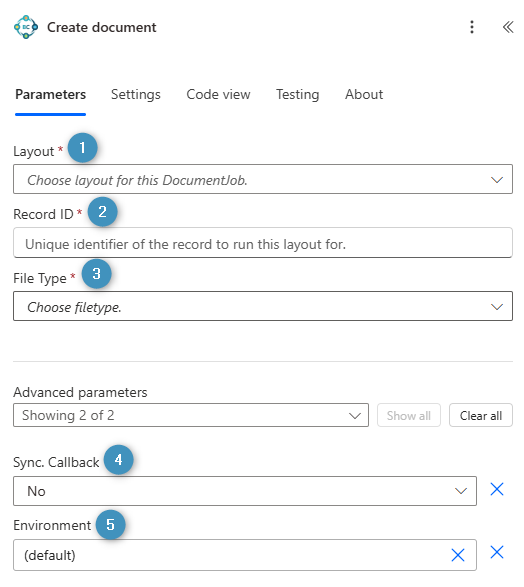
Note: * = Mandatory fields
Document generation actions
Create document
❶ *Layout: Select the DocumentsCorePack layout that will be used as the layout for generating the document (learn more).
❷ *Record ID: Specify the Business Central record identifier of the document source, such as a customer, sales invoice, or sales order.
❸ *File Type: Define the output format of the generated document.
❹ Sync. Callback: Determines whether the document generation process waits for a synchronous response and immediately returns the generated document information.
❺ Environment: Specify the Business Central environment in which the document generation should be executed.
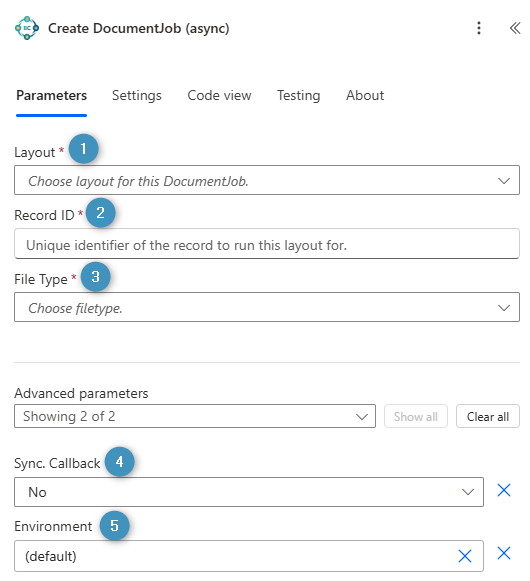
Create DocumentJob (async)
❶ *Layout: Select the DocumentsCorePack layout that will be used as the layout for generating the document (learn more).
❷ *Record ID: Specify the Business Central record identifier of the document source, such as a customer, sales invoice, or sales order.
❸ *File Type: Define the output format of the generated document.
❹ Sync. Callback: Determines whether the document generation process waits for a synchronous response and immediately returns the generated document information.
❺ Environment: Specify the Business Central environment in which the document generation should be executed.
Retrieval actions
Get document templates
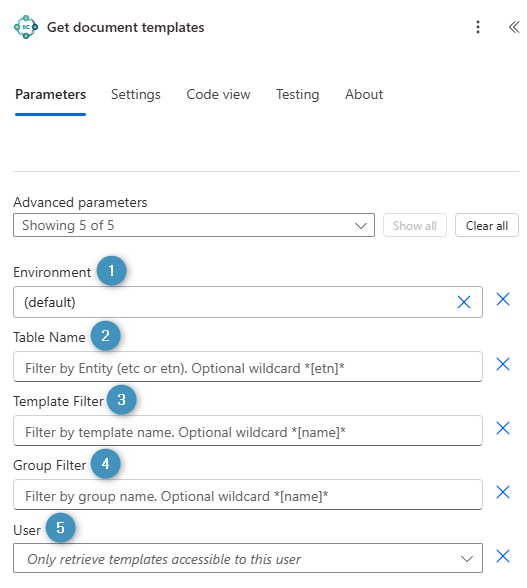
❶ Environment: Specify the Business Central environment from which the available DocumentsCorePack layouts should be retrieved.
❷ Table Name: Filter by the Business Central table name. Optional wildcard *[etn]*
❸ Template Filter: Filter the results by a layout name. Optional wildcard: *[name]*
❹ Group Filter: Filter the results by group name. Optional wildcard: *[name]*
❺ User: Specify the Business Central user for whom the layouts should be retrieved.
Get DocumentJob result
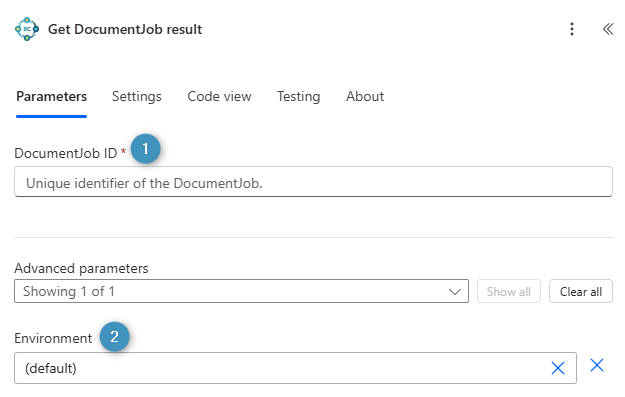
❶ *DocumentJobID: Unique identifier of the DocumentJob whose result should be retrieved.
❷ Environment: Specify the name of the Business Central environment in which the DocumentJob was created and executed.
Get DocumentJob status
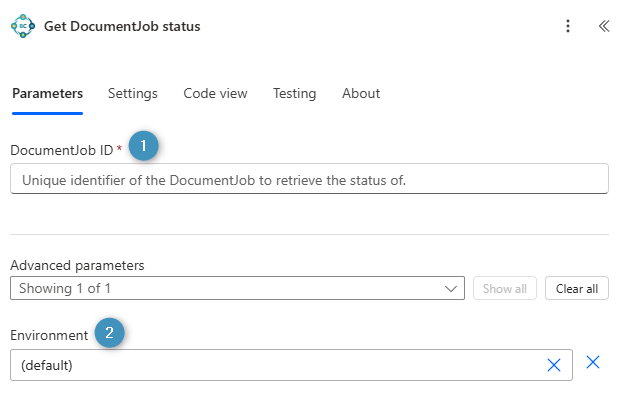
❶ *DocumentJobID: Unique identifier of the DocumentJob whose status should be retrieved.
❷ Environment: Specify the name of the Business Central environment in which the DocumentJob was created and executed.
Get Printers
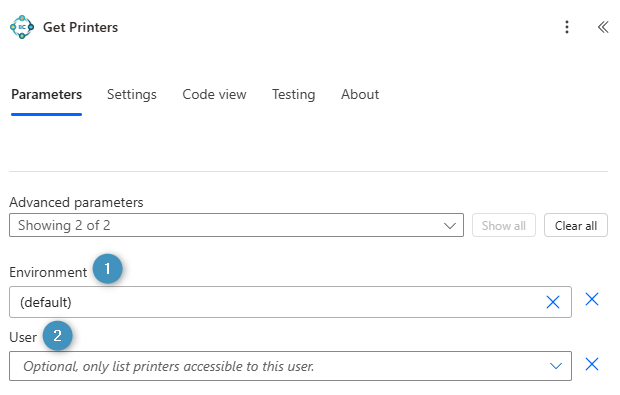
❶ Environment: Specify the name of the Business Central environment from which the available printers should be retrieved.
❷ User: Specify the Business Central user whose available printers should be retrieved.
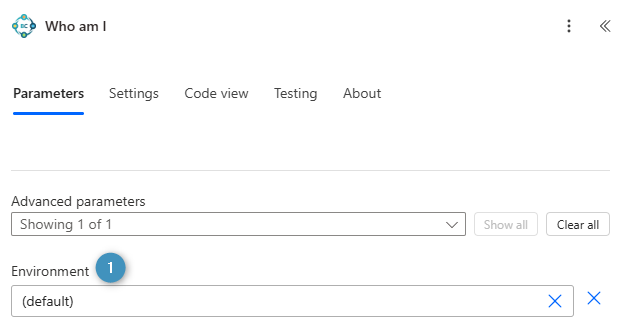
Who am I
❶ Environment: Specify the name of the Business Central environment in which the action should be executed to retrieve information about the current user.
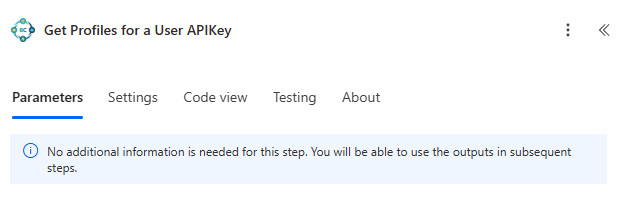
Get Profiles for a User APIKey
No parameter required: This action does not require any input parameters. It automatically retrieves the profiles associated with the API key used by the current connection.